
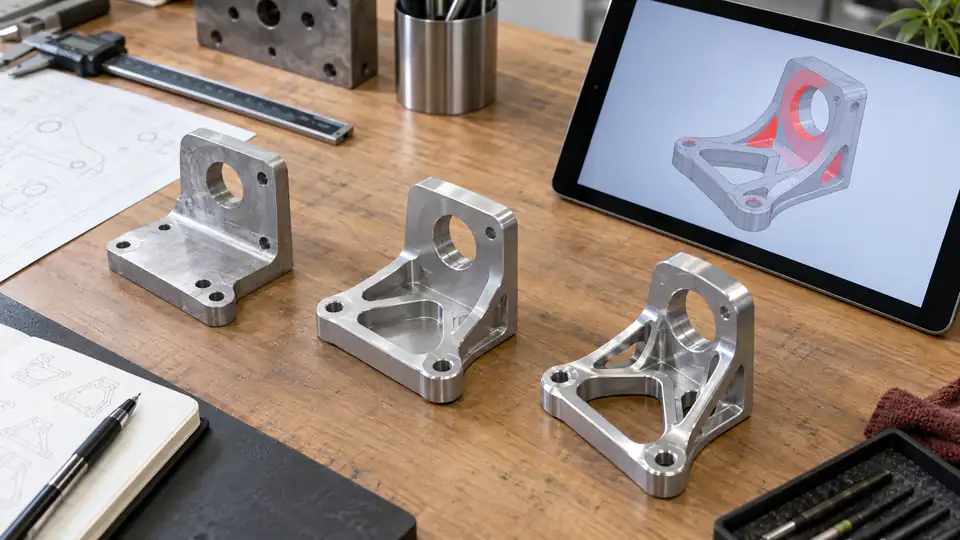
A drawing redline can prevent an urgent CNC job from stopping, but it can also create a second, unofficial product definition. The risk begins when a marked PDF, annotated screenshot, chat message, or verbal instruction reaches programming or machining without defined authority, scope, effectivity, and later incorporation into released CAD.
This CNC engineering change redline guide explains when a redline is appropriate, what information it needs, how to assess work in progress, and how to close the temporary instruction into a controlled revision or deviation. It focuses on the buyer-supplier handoff rather than any one PLM or quality system.
Distinguish a Redline from a Released Revision
A redline is a proposed or temporarily authorized change shown against an existing document. A released revision is a formally approved new state of the product definition. A deviation or concession may authorize departure from the current requirement for a limited quantity, lot, serial range, or period without changing the general design.
These records serve different purposes:
| Record | Typical purpose | Product scope | Required closure |
|---|---|---|---|
| Proposed redline | Communicate a possible correction or design idea | No manufacturing authority unless approved | Approve, reject, or revise |
| Temporary manufacturing redline | Direct urgent work under defined authorization | Named job, quantity, or effectivity | Incorporate, supersede, or expire |
| Deviation/concession | Accept or authorize a specific departure | Identified units or lots | Close disposition and prevent unintended reuse |
| Released revision | Change the standard product definition | Defined configuration and forward effectivity | Withdraw superseded data |
Do not let the file appearance determine authority. A neatly marked PDF is still only a proposal unless the authorized workflow says otherwise.
Decide Whether Work May Continue
When an issue appears, first identify the product risk and current production state. Ask:
- Does the ambiguity affect safety, fit, function, regulatory compliance, interchangeability, or expensive downstream work?
- Has material been ordered or cut?
- Are parts at machining, heat treatment, coating, inspection, shipping, or the customer?
- Can the requirement be clarified without changing product definition?
- Who has design and contract authority?
- Can affected work be isolated reliably?
Stop the affected operation when continuing could make the condition irreversible or obscure evidence. Do not necessarily stop unrelated parts or features. A targeted hold with clear identification protects schedule better than either uncontrolled continuation or a blanket factory shutdown.
Use a Minimum Redline Record
Every actionable redline should contain:
- part number and current revision;
- redline or change record ID;
- marked requirement and unambiguous new instruction;
- reason for change;
- affected quantity, lot, serials, work order, and purchase order;
- effective operation and date/time;
- disposition of work in progress and completed inventory;
- required verification and records;
- design, quality, and commercial approvals as applicable;
- expiration or planned incorporation revision;
- supplier acknowledgment;
- links to affected model, drawing, specifications, CAM, and inspection data.
A screenshot with a circle and “make larger” does not meet this standard. Include the resulting size, tolerance, datum relationship, and final condition.
Clarify Without Changing the Design
Some questions reveal an existing requirement rather than create a new one. For example, engineering may confirm that a drawing note already governs an untoleranced model feature. Record the interpretation and cite the controlling source.
Even a clarification can affect cost or programs, so give it identity and distribute it to all bidders. If reasonable readers could interpret the original release differently, consider revising the source instead of relying on a permanent clarification log.
Do not call a substantive dimensional, material, finish, or acceptance change a “clarification” to avoid approval. Classify by technical effect, not by preferred paperwork.
Mark the Drawing Precisely
Use a controlled copy of the current released drawing. Show deleted information, new information, and affected locations clearly. Maintain legibility at normal print and screen scale.
For a dimension change, include nominal, tolerance, units, datum references, and process state. For a finish change, include type, class, thickness, masking, and final acceptance. For a hole change, include quantity, thread, depth, position, and entry. For a material change, address grade, temper, stock form, certification, and any required revalidation.
If the 3D geometry also changes, provide a controlled revised model or a precise construction method. Do not expect a supplier to recreate a freeform surface from a two-dimensional cloud.
Control 3D CAD with the Redline
A drawing-only redline can conflict with the released model. State which source controls during temporary production and how the supplier should modify or interpret the geometry.
Options include:
- issue a temporary derivative model with a unique change ID;
- authorize a simple, fully dimensioned feature change from the drawing;
- pause CNC programming until a new model is released;
- keep the model unchanged where the redline affects only a note or document requirement.
Preserve the original file and the temporary derivative separately. Record who created the derivative, which source it came from, what changed, and the checksum or document ID. The supplier should not rename it as the next official revision.
Evaluate Work in Progress by Operation
Map the change against the route:
| Production state | Questions | Possible controlled disposition |
|---|---|---|
| Material not cut | Does stock or source change? | Update order and traveler before release |
| Rough machining | Is enough allowance retained? | Modify next operation or segregate |
| Finish machining | Can the feature be changed without harming others? | Reprogram, rework with approval, or scrap |
| Outside processing | Does heat/finish/mask change? | Stop processor and reissue instructions |
| Final inspection | Does the plan and gage remain valid? | Update balloons/program and reinspect |
| Shipped/in use | Does the change affect accepted product or safety? | Risk review, notification, recall/service action as required |
Record actual quantity at each state. A system estimate should be reconciled with physical counts and supplier/subtier locations.
Protect Part and Lot Identity
Segregate affected work with hold tags, digital status, controlled locations, or other reliable methods. Identify which units were made to the old release, the temporary redline, and the later formal revision.
If serial numbers are not normally used, create lot or container identity sufficient for the change. Do not mix conforming and redline parts under one unlabeled quantity.
Shipment records and certificates should describe the as-built configuration honestly. A temporary authorization does not turn Revision C into Revision D unless Revision D has been released.
Perform Technical Impact Analysis
Review more than the edited feature. A larger bore can reduce wall thickness, alter fit, move an inspection datum, change coating allowance, weaken a thread, or require a new tool. A material change can affect cutting, heat treatment, corrosion, mass, and validation. A shifted datum can invalidate many reported coordinates.
Use a cross-functional checklist:
- fit, function, loads, tolerance stack, and interfaces;
- stock, setup, tools, cycle time, and capacity;
- special processes and approved sources;
- inspection method, gages, CMM program, and uncertainty;
- qualification, first article, capability, and functional tests;
- packaging, labeling, service, and interchangeability;
- cost, lead time, scrap, and inventory;
- regulatory or customer approvals.
Document nonapplicable areas briefly. Silence makes later reviewers guess whether an impact was considered.
Assess Commercial Impact Before Authorization
The supplier should state the cost and schedule effect of the redline. Separate:
- engineering and program revision;
- setup or tooling changes;
- material cancellation or replacement;
- rework and additional inspection;
- outside-processor charges;
- scrap or inventory disposition;
- expedited transport;
- recurring unit-price change.
An urgent technical instruction should not become an open commercial dispute. Identify who may authorize expenditure and whether work proceeds under a not-to-exceed value or formal change order.
Do not allow price pressure to turn an unapproved exception into silent acceptance.
Approve with the Correct Authorities
Approval roles depend on the organization and contract. Product design authority normally owns technical definition. Quality controls conformity and disposition records. Procurement owns purchase-order scope and commercial authorization. Regulatory, customer, safety, or program roles may also be required.
A supplier’s engineer can propose a change but should not approve the buyer’s product requirement unless delegated formally. Likewise, a buyer’s purchasing contact should not authorize an engineering change outside assigned authority.
Record approval identity, date/time, and exact revision of the redline attachment. An approval email referring to “the attached version” is fragile if attachments are later replaced.
Update CAM and Setup Documentation
Link the affected CAM program to the redline ID and source geometry. Identify which setups and operations change. Recalculate and simulate the altered toolpaths, then review collisions, remaining stock, fixtures, and adjacent features.
If the modification occurs after prior operations, update the stock model to the real work-in-progress state. Reprogramming from raw stock can hide a collision or remove material that no longer exists.
Revise setup sheets, tool lists, in-process checks, and operator instructions. Remove the earlier versions from the point of use but retain them in controlled history.
Update Inspection and Acceptance
Revise the ballooned characteristic list, CMM program, gages, functional tests, and report template. Identify whether prior inspection results remain valid.
If the change alters datums, re-evaluate every characteristic referenced to them. If it changes finish or material, confirm that the measurement method remains suitable. For a repaired or reworked feature, add inspection needed to detect collateral effects.
The final report should cite the redline or deviation and identify actual results. Do not edit an old report so it appears to have been created against the new requirement.
Flow the Change to Subtiers
Outside processors may be holding parts when the change is issued. Determine their location and status immediately. Send only the requirements they need, with clear stop/restart instructions and acknowledgment.
Changes to masking, coating, heat treatment, welding, or grinding can be irreversible. Confirm that the subtier has withdrawn earlier instructions and updated its traveler before work resumes.
The primary supplier should consolidate sub-tier acknowledgments and records. The buyer should not assume an email to the CNC shop reached the anodizer or heat treater.
Decide How to Treat Existing Inventory
Classify finished units as usable without change, reworkable, usable under deviation, or nonconforming. Analyze mating-part revision and field interchangeability.
If both configurations may coexist, update labels, BOMs, service instructions, and receiving controls. Avoid relabeling physically different parts with one revision merely to simplify inventory.
Record quantities and disposition. Future audits should be able to explain why a Revision C part shipped after Revision D was released, if that was intentionally authorized.
Close the Redline into Released Data
A temporary redline should not remain the permanent source. Establish a due date and owner for incorporation. The formal revision should update every affected model, drawing, specification, BOM, test, and interface.
Compare the released revision with the approved redline before closure. Confirm that no detail was lost or changed unintentionally during CAD update. Then issue effectivity and withdraw the temporary derivative and superseded source from active use.
Mark the redline incorporated, superseded, expired, or rejected. Keep its history linked to affected lots.
Handle an Expired Redline
If the authorized quantity, date, lot, or order is complete, the instruction expires automatically. The supplier should not reuse it on a repeat order even if the same people expect the same result.
At reorder, compare the current released definition with the prior as-built configuration. If the change was never incorporated, engineering must decide again. Do not extend the redline retrospectively.
System alerts can help, but buyers and suppliers should also review open temporary changes before accepting a repeat order.
Audit the Actual Change Flow
Select one redline and trace it from issue to shipped product. Verify the source revision, approvals, work-in-progress inventory, supplier acknowledgment, modified CAD/CAM, traveler, sub-tier instructions, inspection results, shipping identity, and formal closure.
Interview the operator or programmer who used it. Ask how the correct instruction was identified and how the earlier version was blocked. A perfect approval log does not prove point-of-use control.
Repeat the audit forward: choose a formal revision and find every open supplier job affected by its effectivity.
Common Redline Failures
“Approved” is written on a screenshot
The record lacks approver identity, source revision, scope, and effectivity. Transfer the instruction to the controlled change process before manufacturing.
Drawing and temporary model describe different changes
Stop and have the design authority issue one coherent redline package. Do not let the programmer select the version that is easiest to machine.
Some parts are already anodized
Segregate by process state, review rework and corrosion implications, and obtain a disposition. Do not strip or machine coating without approval.
The CMM report still uses old balloons
Update the inspection definition and preserve the earlier report. Reinspect affected characteristics under the new redline.
A repeat order uses last year’s temporary change
Check current released revision and redline expiration. Obtain new authorization or manufacture to the current baseline.
Redline Release Checklist
Before authorizing work, verify that:
- the record identifies part, revision, and exact changed requirement;
- proposed and authorized states are distinguishable;
- quantity, lot, serial, operation, and date effectivity are explicit;
- work in progress and inventory are physically accounted for;
- technical, quality, commercial, and required customer approvals exist;
- 3D geometry and drawing instructions are coherent;
- CAM, setups, inspection, and subtiers receive controlled updates;
- the required verification and as-built records are defined;
- cost and schedule effects are accepted;
- expiry and incorporation ownership are assigned;
- superseded copies will be blocked at point of use;
- the final released revision will be compared with the redline before closure.
Questions Engineering and Procurement Commonly Ask
Can an email approval authorize a redline?
That depends on the organization’s approved change process and the sender’s authority. Email can carry an approval when the controlled system recognizes it, the exact attachment is immutable or uniquely identified, and scope and effectivity are complete. A casual reply saying “looks good” in a long thread is unsafe. Transfer the decision into the official record and require supplier acknowledgment of that specific version.
Should the part revision change for a temporary deviation?
Usually the as-designed revision remains unchanged while the deviation identifies the authorized departure for named product. However, organizations and contracts differ. The shipment record must show both the governing design revision and the applicable deviation. Do not relabel a deviated part as a future design revision that has not been released.
Can production continue while a new model is being prepared?
Only if the current instruction is technically complete, approved for the affected work, and usable without guesswork. A simple fully dimensioned hole relocation might be controllable from a marked drawing. A changed freeform surface, datum structure, or assembly envelope usually needs corrected 3D data before toolpaths continue. The design authority should decide based on risk and available verification.
Who owns the cost of scrap after a change?
The commercial answer depends on the contract, timing, cause, and authorization. Establish the factual timeline first: which baseline was released, when the change arrived, what the supplier had committed, and whether work continued after a stop. Procurement and authorized commercial roles should settle cost without altering the technical nonconformance record.
How quickly should a redline become a formal revision?
Set a due date based on production and recurrence risk. If more lots, suppliers, or service activity will use the change, incorporation should be prompt. A redline covering one contained prototype may close after test results determine the final design. In every case, prevent use beyond its authorized quantity or date while the formal release is pending.
What if the supplier proposes a better manufacturable change?
Record the proposal separately from authorization. Engineering should review function, interfaces, tolerance, finish, inspection, validation, and interchangeability. Procurement should review price and schedule. If accepted, issue a controlled redline, deviation, or revision with explicit geometry and effectivity. Do not treat supplier feasibility feedback as permission to change the product.
How are verbal emergency instructions handled?
If immediate safety or containment action is needed, a verbal stop instruction can be appropriate. Follow it quickly with a controlled written record identifying who issued it, time, affected work, and permitted actions. Do not authorize irreversible machining from memory. Before restart, require an unambiguous approved instruction and confirm withdrawal of the verbal placeholder.
What happens when only a note changes?
Review the note’s technical effect. A spelling correction may not affect product, while a revised deburr, cleanliness, sampling, or certification note can change operations and acceptance without altering solid geometry. Update the drawing, traveler, inspection plan, and outside-process flowdown as applicable. Geometry comparison alone cannot close a note-only change.
Measure Change-Control Performance
Useful indicators focus on failure prevention and response, not the number of forms completed. Track redlines issued, average open age, expired records found in active work, time to acknowledge at suppliers and subtiers, affected inventory located, repeat-order reuse errors, and changes incorporated into formal releases.
Review near misses: obsolete CAM caught before cutting, mixed drawings found during quotation, or a subtier stopped before applying the old mask. These events show where controls worked and where the release path remains fragile. Use them to improve system access, training, notifications, and point-of-use verification.
Avoid targets that encourage hiding problems, such as demanding zero redlines or zero late changes. Product development naturally creates changes. The meaningful question is whether each change reached the correct people, affected product was controlled, and temporary authority was closed without ambiguity.
Periodically sample closed records and verify that the released CAD now contains the authorized outcome. A redline marked “incorporated” can still be incomplete if one drawing sheet, model configuration, inspection program, or supplier copy was missed. Reopen the corrective action when the permanent source and the accepted redline do not agree, and assess any product manufactured during the gap.
Document that verification result clearly.
Use Redlines as Controlled Bridges
A redline is valuable when it carries an urgent, precise decision across the gap between a discovered need and a formal release. It becomes dangerous when the bridge is treated as the permanent road. Give every redline authority, scope, effectivity, evidence, and closure.
Send QuickCNCs the current 3D model, controlled 2D drawing, redline record, affected quantities, process state, and inspection needs. The team can review machining feasibility and change impact through CNC milling services and rapid prototyping. For an updated commercial response, use Request a Quote.
References
- ASME Y14.35 — practices for revising product-definition datasets and associated documents.
- ISO 10007:2017 — guidance on configuration management within an organization.
- NIST Digital Thread for Manufacturing — traceability of product information across engineering, manufacturing, and quality.