
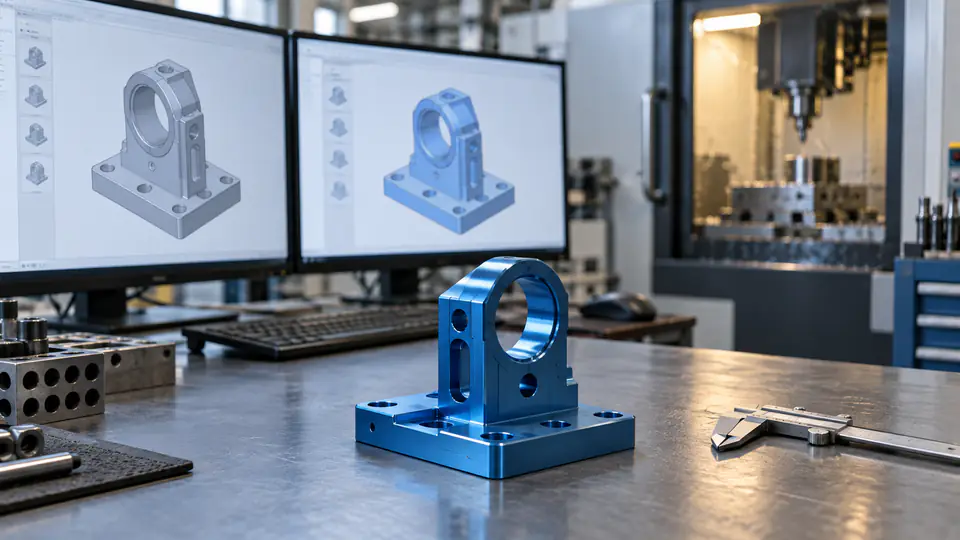
A CNC supplier cannot quote, program, machine, inspect, and ship the intended part unless every participant works from the same released product definition. The risk is not limited to an old PDF. A current drawing can be paired with an obsolete STEP file, an email redline can bypass approval, or a repeat order can reopen a CAM program built for a superseded geometry.
This CNC drawing revision control guide shows how to assemble a quote-ready file package, name its contents, resolve model-versus-drawing conflicts, record supplier assumptions, and control changes from RFQ through repeat production. The objective is a traceable manufacturing baseline—not a complicated naming convention for its own sake.
What Revision Control Must Accomplish
Revision control answers one practical question: can the buyer and supplier identify exactly which requirements governed a quotation or production lot? A complete answer connects part number, drawing revision, model revision, specification revisions, purchase-order line, approved deviations, and manufacturing effectivity.
ASME Y14.35 defines practices for revising engineering product-definition datasets and associated documents. A company may use its own lifecycle system and naming rules, but those rules still need to identify and record changes consistently. NIST’s digital-thread work similarly emphasizes linking product information across engineering, manufacturing, and quality systems.
For a CNC RFQ, the control should prevent:
- mixed drawing and model revisions;
- machining from an email attachment outside the approved package;
- quoting an old quantity or finish requirement;
- programming from a locally renamed file with no revision identity;
- inspecting against a different baseline from production;
- using an approved deviation beyond its intended lot;
- reopening an obsolete program on a repeat order.
Distinguish Part Number, Revision, and File Name
The part number identifies the product definition object. The revision identifies an approved state of that object. A file name is only a container label. It can help a person find the right object, but it should not be the sole source of authority.
For example, BRACKET-1042_REV-C.step is understandable, yet the model itself, the drawing title block, the release record, and the RFQ manifest should also identify the same part and revision. Someone can accidentally rename Revision B as Revision C. The file name then looks right while the content is wrong.
Avoid names such as final.step, latest.pdf, new-new.dxf, or quote2.stp. They lack stable identity and become ambiguous as soon as a second version exists. Date stamps can be useful for package history but should not replace the engineering revision.
A practical convention might use:
<part-number>_<revision>_<document-type>.<extension>
Examples:
BRACKET-1042_C_MODEL.stepBRACKET-1042_C_DRAWING.pdfBRACKET-1042_C_INSPECTION.xlsx
The exact punctuation is less important than documented rules, consistent use, and content verification.
Create a Controlled RFQ Manifest
Every RFQ package should include a manifest that lists the files and the authority of each one. It can be a small table in the cover email, an exported PLM list, or a controlled document. The supplier should acknowledge that manifest when quoting.
| Manifest field | Purpose | Example |
|---|---|---|
| Package ID | Identifies the complete RFQ transmission | RFQ-4821-02 |
| Part number | Links all files to the purchased item | BRACKET-1042 |
| Revision | States the released product state | C |
| File name | Identifies the transmitted file | BRACKET-1042_C_MODEL.step |
| File type | Explains intended use | 3D model, drawing, specification |
| Release status | Separates released data from reference material | Released for quotation |
| Governing role | Defines authority in a conflict | Drawing controls dimensions/notes |
| Checksum or controlled-system ID | Detects accidental replacement | SHA-256 or PLM document ID |
| Date/time and sender | Records transmission | 2026-10-01 14:00 UTC, Engineering |
For a multi-part RFQ, include quantity, revision, and delivery requirement for each part. Do not assume every file in a compressed folder has the same revision or release status.
Define the Authority Between the 3D Model and 2D Drawing
The model and drawing often carry complementary information. The 3D model gives nominal shape and supports CAM. The drawing can define tolerances, datums, finishes, threads, material, heat treatment, inspection, and notes. In model-based definition, PMI may carry more authority, but that authority must be explicit.
State a conflict rule. Examples include:
- the 3D model defines untoleranced nominal geometry; the drawing controls dimensions, GD&T, notes, and acceptance;
- the AP242 model with validated PMI is the authority, while the PDF is a human-readable derivative;
- the drawing controls all product requirements, and the model is supplied for manufacturing convenience.
Do not let the supplier decide silently. If the PDF dimension conflicts with the model surface, production should stop at the defined escalation point. The resolution should update the controlled source or issue a formal temporary deviation—not remain only in a chat message.
Verify File Content, Not Just the Label
Before release, open each file in an independent viewer where practical. For a neutral model, check units, body count, assembly structure, origin, orientation, extents, and key features. For a PDF, check part number, revision, sheets, legibility, and referenced specifications. For a DXF, check scale, layers, closed contours, and which view or profile it represents.
A file-level hash can show whether transmitted bytes changed. It cannot show that the file contains the correct engineering definition. Use both content review and identity controls.
The sender should also verify that no temporary, suppressed, or reference-only component was exported unintentionally. If the file contains multiple configurations, identify which one is released.
Use a Release State That Suppliers Can Understand
Terms such as “draft,” “for review,” “for quotation,” “prototype only,” and “released for production” should have defined meanings. A supplier should know whether it may use a file for cost estimation, programming, material purchase, or production.
A useful progression is:
- Reference or concept: not approved for manufacturing; used only to discuss feasibility.
- Released for quotation: stable enough to price; supplier assumptions are expected and no production is authorized.
- Released for prototype: authorizes the stated prototype quantity and records permitted temporary conditions.
- Released for production: approved product baseline for the stated purchase order and effectivity.
- Obsolete or superseded: retained for history but blocked from new use.
The purchase order should point to the applicable state and revision. A file sent earlier “for quote” does not automatically become a production release when an order arrives.
Control the RFQ Hand-Off
Transmit the package through a controlled portal, PLM exchange, supplier-quality system, or other agreed channel when available. Email can be workable for small organizations, but the message should contain the manifest, package ID, and acknowledgment requirement. Avoid sending files across multiple unlinked threads.
Require the supplier to confirm:
- files received and successfully opened;
- part and revision identities;
- any translation warnings or missing references;
- quoted quantities and delivery state;
- assumptions and exclusions;
- the named contact for technical clarification.
If a buyer sends an updated file during quotation, issue a new package identity and clearly withdraw the earlier package. Do not ask bidders to “use the new model but keep the old drawing” unless that mixed baseline is intentionally documented.
Record Supplier Assumptions in the Quote
Revision control does not eliminate ambiguity. It makes ambiguity visible. Every quotation should list assumptions that affect price, schedule, or acceptance.
| Supplier-assumption field | Required response |
|---|---|
| Product baseline | Part number, drawing revision, model file and revision |
| Quantity and lot | Quoted quantity, release pattern, and annual volume assumption |
| Material | Grade, temper, product form, source restrictions, certificates |
| Finish | Type, class, color, thickness, masking, outside source |
| Geometry authority | Model/drawing conflict rule used for the quote |
| Inspection | Included reports, sampling, special gages, first article |
| Unresolved items | Question, temporary assumption, price/schedule effect, due date |
| Validity | Quote expiration and conditions requiring requote |
A quoted exception is not an approved product change. The buyer’s authorized design or contract owner must close it, and the resolution must enter the released package.
Manage Redlines Without Creating a Shadow Revision
Redlines are useful for clarifying intent and proposing a change. They are dangerous when the marked-up copy becomes the only instruction at the machine. A redline should have an owner, date, affected part and revision, description, disposition, and expiration or incorporation plan.
Use one of three paths:
- incorporate the approved change into a new released revision;
- authorize a temporary deviation for defined serial numbers, lots, or purchase orders;
- reject the change and retain the existing baseline.
Never rely on a technician remembering that “engineering approved it in email.” If production must proceed before a formal revision, the deviation should identify exactly which requirements change and what remains unchanged.
Define Effectivity
A new revision is not enough. The organization must determine when it takes effect. Work may be at quotation, material purchase, programming, machining, outside finishing, inspection, shipping, or inventory. A blanket instruction to “use Revision D now” can strand partially completed parts or mix configurations.
The change record should identify:
- first affected purchase order, work order, lot, or serial number;
- disposition of work in progress and finished inventory;
- whether existing material or tooling remains usable;
- whether inspection programs and gages must change;
- whether previously approved supplier processes require requalification;
- which customer or regulatory approvals are required.
For interchangeable changes, effectivity may be simple. For fit, function, validation, or service compatibility changes, coordinate mating parts and field documentation.
Withdraw Superseded Files from Use
Archiving an old revision is different from controlling it at the point of use. The supplier should remove or clearly block superseded paper drawings, downloads, shared-drive copies, setup sheets, CAM programs, CMM programs, gage instructions, and subcontractor packets.
Do not erase the history. Retain obsolete records according to contract and quality-system needs, but mark them so they cannot be selected for current production. Access controls and read-only archives are preferable to ambiguous folders called old.
The change acknowledgment should confirm that affected operational documents were updated. A clean PLM record cannot prevent a machinist from reopening a local obsolete NC program unless shop-floor controls are connected to it.
Link CAM and Inspection Programs to the Product Baseline
A CAM program should record the part number, revision, source-model identity, setup revision, postprocessor context, and approval state. If geometry is reimported, document whether toolpaths were regenerated and reverified. Reusing a prior program may be efficient only after the supplier confirms that the changed revision does not affect stock, setup, tools, clearances, or acceptance.
CMM and inspection programs need the same discipline. A drawing revision can change a datum, tolerance, note, or sampling requirement even when nominal geometry looks identical. Update characteristic balloons and report templates together with the measurement program.
Where a supplier uses model-based automation, validate that identifiers survive translation and that the system rejects a mismatched model rather than silently remapping features.
Control Outside Processors and Subtier Suppliers
Heat treatment, anodizing, plating, grinding, special inspection, and other outside processes receive a subset of the product definition. That subset must still identify the part, revision, operation, specification revision, drawing zones, and purchase-order requirements they need.
The primary CNC supplier remains responsible for flowing down applicable changes. When Revision D changes a mask boundary, sending only the old finishing purchase order with a new part label is insufficient.
Require certificates and reports to identify the product and process revision where relevant. On return, receiving personnel should match the subtier records to the current traveler before the next operation.
Handle Repeat Orders Safely
Repeat orders create a strong temptation to reuse whatever worked last time. Begin with a delta review:
- compare current and prior drawings, models, notes, and specifications;
- identify changed features and changed interpretations;
- review old deviations and decide whether they expired or were incorporated;
- compare material, finish, inspection, packaging, and supplier sources;
- assess effects on CAM, fixtures, tools, gages, CMM programs, and outside processes;
- approve reuse only after the affected owners close the review.
An unchanged revision still deserves a baseline confirmation if the order has been dormant, equipment moved, a subtier changed, or retained electronic records were migrated.
Control Files During Supplier Transfer
Transferring a part to a second supplier requires more than sending current CAD. Define which buyer-owned tools, gages, approved deviations, inspection methods, capability evidence, and lessons learned may be transferred. Protect the departing supplier’s proprietary manufacturing methods.
The receiving source must establish its own controlled programs and process evidence against the current product definition. A first article or other qualification may be required depending on risk and contract. Confirm that a historical “golden sample” matches the released revision before using it as reference.
Use Checksums and System IDs Appropriately
A cryptographic checksum such as SHA-256 can detect whether a file changed between release and receipt. Store it in the manifest or controlled system. It is especially useful when file names can be altered during transfer.
A checksum does not replace access control, approval, backup, or content validation. Two incorrect recipients can possess identical incorrect files. Likewise, exporting the same CAD model through different translators can create different bytes while representing the same intended geometry.
Use stable document IDs and revision records for lifecycle control, checksums for transfer integrity, and engineering review for correctness.
Resolve Common Failure Scenarios
The model says Revision C but the drawing says Revision D
Stop the release. Identify the source-system records, compare changes, and have the design authority issue a coherent package. Do not ask the supplier to choose the newer-looking file.
The supplier quoted an older finish note
Compare quote baseline and RFQ manifest. If the supplier acknowledged the correct package, process the miss as a quotation exception. If the buyer transmitted mixed data, issue a corrected package and request a revised commercial response.
Production used an obsolete CAM program
Contain affected parts, determine the actual source model and program revision, compare geometry and requirements, and inspect or disposition accordingly. Correct point-of-use controls; renaming the current program is not enough.
An email redline was machined but never released
Identify affected units and approval status. Either formalize the change through the authorized system or treat the parts as nonconforming. Do not rewrite history by backdating the drawing.
A repeat order carries an expired deviation
Check the deviation’s lot, quantity, serial, and date effectivity. If it does not apply, manufacture to the released definition or obtain new authorization before work proceeds.
Quote-Ready Revision Checklist
Before transmitting a CNC RFQ, verify that:
- every file carries the correct part and revision identity;
- the package includes a manifest and release state;
- the 3D model and 2D drawing have been opened and checked;
- units, body count, orientation, sheets, and referenced specifications are correct;
- the authority and conflict rule are explicit;
- filenames are human-readable but are not the sole control;
- outdated files have been removed from the transmission folder;
- quantities, due dates, finish, inspection, and packaging requirements are current;
- supplier acknowledgment and assumptions are required;
- a process exists for redlines, deviations, change effectivity, and withdrawal.
Supplier Acknowledgment Checklist
Before accepting an order, the supplier should confirm that:
- the listed package was received intact;
- all files open without unresolved translation errors;
- the quote cites part number, revision, quantity, and product state;
- conflicting information has been escalated;
- CAM, setup, and inspection records will link to the baseline;
- outside processors receive the applicable revision and specifications;
- superseded data is blocked at the point of use;
- any reuse from a prior order passed a documented delta review;
- change notices identify work-in-progress and inventory effectivity;
- shipment records identify the as-built product configuration.
Keep the System Proportionate
A one-off prototype does not need the same infrastructure as a regulated production program, but it still needs identity. A concise manifest, controlled drawing, model, clarification log, and supplier acknowledgment can prevent most configuration errors. Larger programs may use PLM, supplier portals, electronic signatures, role-based access, automated checksums, and digital-thread integration.
Complexity should follow risk, number of participants, revision frequency, and cost of error. More fields do not create control if people bypass them. Test the actual flow from engineering release to the machinist, inspector, outside processor, and receiving team.
Audit the Process with a Traceability Test
A useful internal audit starts with one shipped serial number or lot and works backward. The reviewer should be able to find the shipment record, final inspection, traveler, outside-process certificates, machine and inspection program revisions, purchase-order requirements, supplier acknowledgment, and the originating engineering release. Every step should point to a compatible part and revision state.
Then perform the test forward from one engineering change. Identify which open quotations, purchase orders, work-in-progress lots, finished items, programs, gages, and subtier orders were assessed. Confirm that the recorded effectivity agrees with what actually happened on the shop floor.
Interview the people who perform the transfer rather than reviewing procedures alone. Ask a programmer how the approved model is obtained, a machinist how the current setup sheet is recognized, an inspector how a changed drawing is reflected in the report, and purchasing how a new revision reaches an outside processor. Screenshots and signatures can show that a transaction occurred; they do not prove that the current data was available and used.
Record gaps by consequence. A cosmetic-note mismatch on an unstarted quote is different from an obsolete datum scheme used on shipped parts. Correct the specific failure path, verify the affected product, and repeat the traceability test after the fix.
Include a recovery exercise in the audit. Select a hypothetical corrupted download or unavailable portal and ask the team to restore the approved package from its system of record. The restored copy should reproduce the manifest, approvals, and file identities without relying on one employee’s mailbox or desktop. Then simulate receipt of a late change while material is already in process. The team should be able to locate the affected work, stop only what is necessary, obtain a disposition, and restart with unambiguous instructions.
These exercises expose fragile dependencies that a document-list review misses. They also demonstrate whether revision control survives ordinary disruptions such as staff absence, supplier reassignment, system migration, or a renamed network folder. Record the recovery time and the point at which technical authority was re-established. Improve the flow where participants had to guess.
Release One Coherent Manufacturing Baseline
The safest CNC RFQ is not the one with the longest file name. It is the one where each file, approval, quotation, and downstream record points to the same product definition and where changes have clear authority and effectivity.
Send QuickCNCs the neutral 3D model and controlled 2D drawing together with the package manifest, quantity, material, finish, inspection, and delivery requirements. The team can review manufacturability through CNC milling services or rapid prototyping. Once the package is coherent, submit it through Request a Quote.
References
- ASME Y14.35: Revision of Engineering Product Definition Datasets and Associated Documents — the ASME standard specifically addressing revision practices.
- NIST Digital Thread for Manufacturing — product-definition interoperability and traceability context.
- ISO 9001 — quality-management requirements including documented information and controlled operations.