
You design a perfect part in CAD, but the factory says it cannot be made. This wastes time, increases costs, and delays your project launch. You need a way to ensure your designs are production-ready before they leave your desk.
Design for Manufacturability (DFM) is the practice of designing parts so they are easy and cheap to manufacture. In CNC machining, this means avoiding deep cavities, adding fillets to internal corners, limiting tight tolerances to critical areas, and standardizing hole sizes. Applying DFM early reduces machining time, minimizes tool wear, and significantly lowers the final cost of your components.
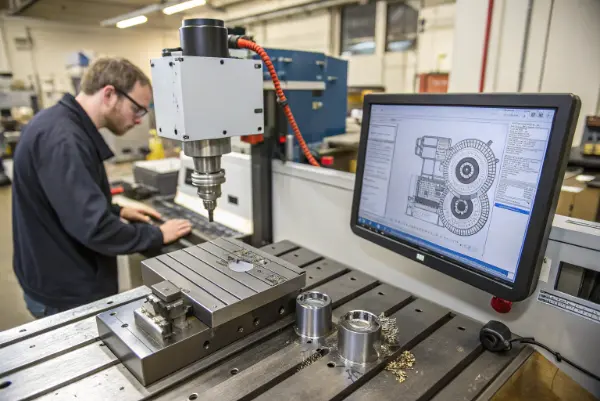
Many engineers think DFM restricts their creativity. I believe it actually sets them free. When you understand the limits of a CNC machine, you design smarter, not harder. I have seen hundreds of designs come across my desk at QuickCNCs. The ones that fly through production are always the ones where the designer thought about the cutting tool. Let’s look at the specific rules you should follow.
Why is standardizing hole sizes critical for cost reduction?
Custom hole sizes force machinists to order special drill bits or use complex circular interpolation. This stops production and adds unnecessary setup time. You want your parts to move through the machine shop without stopping for special tools.
To reduce costs, design holes based on standard drill bit sizes (metric or imperial) available in most machine shops. Avoid deep, narrow holes; try to keep the depth-to-diameter ratio under 10:1. For threaded holes, stick to standard tap sizes like M6 or M8, and do not thread the entire length of a deep hole if it is not necessary.
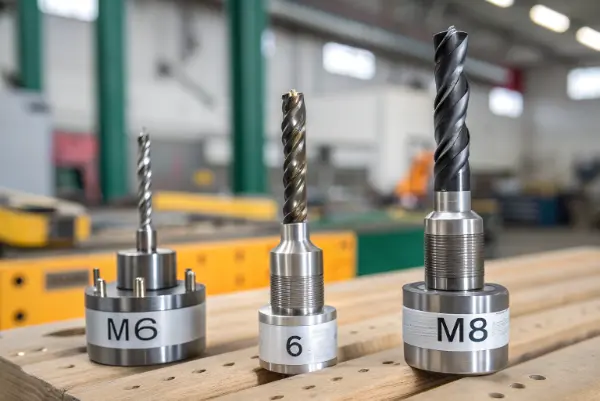
Let’s dig deeper into the mechanics of hole making. Drills are standard tools. Every shop has a set of metric (e.g., 6.0mm, 8.5mm) and imperial bits. If you design a hole that is 6.05mm, I cannot just use a 6mm drill. I have to use a smaller end mill to circle-mill that hole (interpolation) or use a reamer. Both take much longer than a simple drilling cycle.
Also, consider the physics of the tool. A long, thin drill bit is flexible. If you drill too deep, the bit wanders. The hole will not be straight, and the bit might break inside your expensive part.
Here is a breakdown of hole design guidelines:
| Feature | Guideline | Reason |
|---|---|---|
| Diameter | Use standard integers (e.g., 5mm, 10mm) | Allows use of standard twist drills; faster and cheaper. |
| Depth | Max 4x diameter for standard, 10x for special | Deep holes require "peck drilling" to clear chips, slowing the process. |
| Flat Bottoms | Avoid them | Drills have conical tips (118° or 135°). Flat bottoms require end mills, which is an extra step. |
| Tapping | Thread depth = 2x to 3x diameter | Strength does not increase past 3x diameter, but tap breakage risk goes up fast. |
I recall a project with a German client, Alex. He needed a 50mm deep hole with M4 threads all the way down. I suggested threading only the top 10mm. The holding strength was the same, but we saved 40% on machining time and stopped breaking taps.
How do internal corners affect machining time and tool selection?
CNC tools are round and spin at high speeds. They cannot cut a perfectly sharp 90-degree internal corner. If your design demands a sharp square corner, you force the manufacturer to use expensive EDM (Electrical Discharge Machining) processes.
Always add a radius (fillet) to vertical internal corners that is slightly larger than the radius of the cutting tool. A corner radius should be at least 1/3 of the cavity depth. If a square part must fit into the pocket, add "dog-bone" or T-bone fillets to the corners to create clearance.
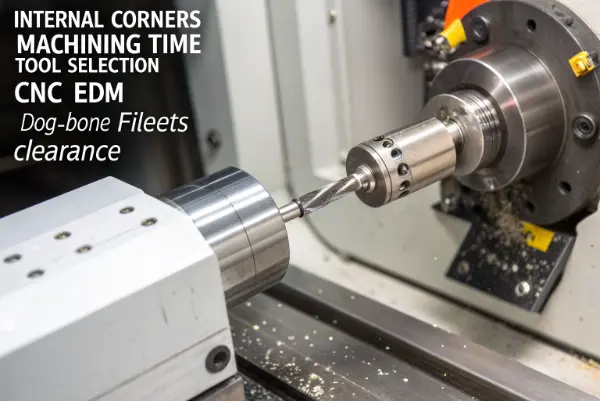
Understanding the relationship between the tool radius and the corner radius is vital. If you make the corner radius exactly the same size as the tool radius (e.g., a 5mm tool for a 5mm radius corner), the tool engages a huge amount of material at once when it hits that corner. It chatters, screams, and leaves a bad surface finish. This causes tool wear and slows down the feed rate.
Instead, use a slightly larger corner radius. If you use a 10mm diameter tool (5mm radius), design the corner radius to be 5.5mm or 6mm. This allows the tool to make a smooth turn without stopping.
Critical Thinking: The "Dog-Bone" Solution
Sometimes, you really do need to fit a square object, like a battery or a key, into a milled pocket. You cannot change the object, so you must change the pocket. The solution is the "dog-bone" fillet. This means you drill or mill a small circle into the corners of the square pocket.
- Design A (Sharp Corner): Impossible with standard milling. Requires EDM. Very expensive.
- Design B (Standard Fillet): Easy to mill, but the square object won’t fit because the corners are rounded.
- Design C (Dog-Bone): The tool over-cuts the corner. The square object fits perfectly. The corners look a bit odd, but functionally, it is perfect.
When I review designs, I look for deep pockets with tiny radii. A 50mm deep pocket with a 1mm radius requires a tiny, long tool. That tool will be fragile and slow. Increasing that radius to 5mm allows me to use a stiff, large tool that clears material in seconds, not minutes.
Why should you limit tight tolerances to critical interfaces only?
Tolerances define the allowable deviation from the exact measurement. Tight tolerances (like ±0.005mm) require slower speeds, frequent inspections, and temperature control. Applying these strict rules to every dimension makes the part incredibly expensive for no functional reason.
Only apply tight tolerances to features that mate with other parts, such as bearing fits or alignment pins. For non-critical features like cosmetic walls or clearance holes, use standard ISO 2768-m tolerances (usually ±0.1mm or ±0.2mm). This simple change can reduce manufacturing costs by 50% or more.
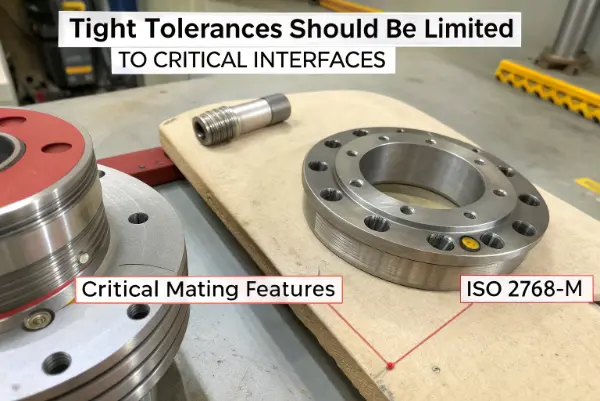
I see many drawings where the entire title block says "General Tolerance: ±0.01mm." This is a nightmare for a machinist. It means I have to measure the overall length of the block, the depth of aesthetic grooves, and the position of logo text with extreme precision. None of those things affect how the part works.
You must be strategic. Think about the function of the surface. Is it touching anything? Is it moving? If the answer is no, relax the tolerance.
Here is how tolerances impact the manufacturing process:
- Standard (±0.1mm): The machine runs at normal speed. I check one part every hour. It is fast and cheap.
- Tight (±0.05mm): The machine slows down for the finish pass. I check every 10th part. The cost goes up slightly.
- Precision (±0.01mm): I need a high-end machine. I must control the room temperature. The tool must be new. I have to measure every single part. The cost doubles or triples.
- Ultra-Precision (±0.005mm or less): This might require grinding or honing after machining. The cost is astronomical.
A Practical Example:
Consider a robotic arm casing.
- Bearing Bore: Needs ±0.01mm for the bearing to press-fit correctly. Keep this tight.
- Mounting Holes: Need ±0.05mm for position so screws line up. Keep this medium.
- External Shape: This is just a cover. ±0.2mm is fine. Relax this.
By defining these clearly on your 2D drawing (GD&T), you tell the machinist exactly where to focus their effort. At QuickCNCs, we often send drawings back to engineers asking, "Do you really need this tolerance here?" Usually, they say no, and we save them money immediately.
Why is minimizing part setups and orientations essential?
Every time a machinist has to flip a part or move it to a different machine, accuracy decreases and cost increases. The ideal part is machined in one single setup. Complex parts that require machining on all six sides are labor-intensive and prone to errors.
Design parts so the majority of features can be reached from one direction, typically the top. Avoid side holes or undercuts that force the operator to unclamp and rotate the workpiece. If multiple sides are necessary, try to limit it to two setups, or consider splitting the complex part into two simpler parts that are bolted together.

Imagine holding a block of aluminum in a vise. The cutting tool comes from above (Z-axis). It can easily reach the top face. It cannot reach the bottom. It cannot reach the sides unless you have a 4-axis or 5-axis machine.
Every "setup" involves these steps:
- The machine stops.
- The operator opens the door and cleans the chips.
- The operator unclamps the part.
- The operator flips the part or moves it to a fixture.
- The operator indicates (measures) the new position to find zero.
- The machine starts again.
This takes time. It also introduces "stack-up error." If setup 1 is off by 0.01mm and setup 2 is off by 0.01mm, your features might be misaligned.
The Split-Part Strategy:
I often advise clients to rethink complex geometries. Sometimes, a single complex part is harder to make than two simple parts.
- Scenario: You have a hollow housing with internal features that require expensive 5-axis machining to reach inside.
- Solution: Slice the housing in half. Machine two simple "open" halves using standard 3-axis milling. Bolt or weld them together.
- Result: The tooling is standard, the inspection is easier, and the total cost drops significantly.
Also, consider workholding. The machine needs something to grab onto. If you design a part with weird, organic curves on every side, I have to build a custom fixture just to hold it. Leave at least two parallel flat faces if possible so a standard vise can grip it. If your part is round or irregular, add temporary "tabs" or a base that we can clamp onto and cut off later.
Conclusion
To master DFM, focus on standardizing holes, rounding internal corners, relaxing non-critical tolerances, and minimizing setups. These simple steps ensure your CNC parts are high-quality, affordable, and delivered on time.