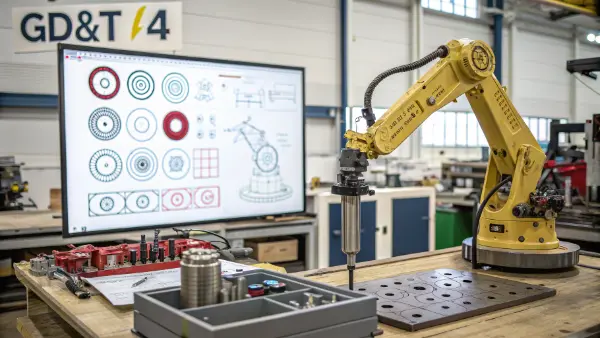
Bad drawings lead to bad parts. When your robotic arm joint fails because of a misaligned hole, you waste time and money. I see this often. A clear guide to GD&T symbols can fix these costly errors right now.
Geometric Dimensioning and Tolerancing (GD&T) uses universal symbols on engineering drawings to control part shape, size, and location. In 2026, understanding the 14 main symbols across form, profile, orientation, location, and runout categories is essential. These symbols ensure your design intent matches the final manufactured part perfectly.
I remember a client from Germany, much like many of you, who struggled with rejected batches because standard tolerances were too loose. Let us dive into the specific symbols that can prevent these headaches from happening to you.
What Are the Core Categories of GD&T Symbols?
Looking at a messy blueprint can feel overwhelming. If you do not know how to group the symbols, you might misread the whole design. We can make it easy by breaking them down into basic families.
GD&T symbols are divided into five main categories: form, profile, orientation, location, and runout. Form controls individual shapes without datums. Profile can use datums or not. Orientation, location, and runout always need datums to link features together for proper assembly accuracy.
Grouping the Symbols Makes Sense
When I first started in a CNC shop, the big chart of symbols looked like a foreign language. But once I learned the five groups, everything clicked. You do not need to memorize them all at once. You just need to know what job each group does. We divide them based on how they control the part.
The Role of Datums
The biggest difference between these groups is how they use datums. A datum is just an exact point, line, or flat surface. We use it as a starting point to measure everything else. If you are making a metal housing for a robot, the bottom face might be your datum. You measure all the holes from that bottom face.
| Category | Needs a Datum? | What It Does |
|---|---|---|
| Form | No | Controls the shape of one single feature. |
| Profile | Optional | Controls complex outlines and curved 3D surfaces. |
| Orientation | Yes | Keeps things parallel or tilted at the right angle. |
| Location | Yes | Puts holes or slots in the exact right spot. |
| Runout | Yes | Makes sure round parts spin smoothly without wobbling. |
By 2026, engineers put these categories directly into 3D models. This practice is called Model-Based Definition (MBD). It means the computer knows exactly which category you use. If you pick a location symbol but forget the datum, the software will warn you. This keeps errors out of the CNC machine shop. I have seen many engineers save days of back-and-forth emails just by putting the symbol in the right category on their digital model. It makes communication with Chinese suppliers very smooth.
How Do Form Symbols Control Individual Shapes?
Warped parts ruin assemblies. When a flat surface comes out curved, nothing fits on top of it. Form symbols stop this from happening by setting strict limits on the shape itself.
Form symbols control the shape of a single feature without comparing it to anything else. The four form symbols are flatness, straightness, circularity, and cylindricity. They make sure surfaces stay flat, lines stay straight, and cylinders stay perfectly round.
Making Things Truly Flat and Straight
Form tolerances are very easy to understand. You do not need a datum to check them. You just look at the feature itself. Think about a metal plate. Flatness means the entire top surface must sit between two imaginary parallel planes. If the tolerance is 0.05mm, the highest bump and the lowest dent must fit inside that 0.05mm gap.
Straightness is similar, but it only looks at a single line. If you have a long steel rod, straightness makes sure the rod does not bend like a banana. We use a dial indicator to check this in the shop.
Keeping Round Parts Round
When you deal with spinning parts or shafts that slide into bearings, roundness is everything.
| Symbol | Name | How It Works |
|---|---|---|
| ⏥ | Flatness | Surface lies between two parallel flat planes. |
| ⏤ | Straightness | Line elements stay within two parallel lines. |
| ◯ | Circularity | Cross-sections fit between two perfect circles. |
| ⌭ | Cylindricity | Full surface fits between two perfect cylinders. |
Circularity checks just one slice of a cylinder. Cylindricity checks the whole tube at once. It combines roundness and straightness. Cylindricity is harder to measure and harder to machine. I always tell my clients to only use cylindricity if they really need it. If you ask for extreme cylindricity, the CNC turning cost goes up fast. For most normal robotic joints, basic circularity and strict size controls are enough to do the job well.
Why Are Profile Symbols Essential for Complex Surfaces?
Standard tools cannot measure weird curves easily. If your design has strange shapes, the machine shop might guess how to make it. Profile symbols remove all the guesswork for curved designs.
Profile symbols control the outline or surface of complex shapes compared to true geometry. The two symbols are profile of a line and profile of a surface. They can replace multiple other symbols because they control size, location, orientation, and form all at once.
The Ultimate Control for 3D Shapes
Profile of a surface is one of the most powerful tools in GD&T. As robots and machines get smaller and look nicer, parts get more complex. We see fewer blocky parts and more sweeping, organic curves. You cannot use a simple straightness callout on a curved plastic cover.
Profile of a surface creates an invisible 3D zone around your perfect design. Every point on the real manufactured surface must fall inside this zone. It is like putting a tight digital skin over the part. If the machine cuts too deep or leaves too much metal, the part breaks the skin and fails the check.
| Symbol | Name | What It Controls | Datum Required? |
|---|---|---|---|
| ⌒ | Profile of a Line | 2D cross-sections on curves | Optional |
| ⌓ | Profile of a Surface | Complex 3D contours and faces | Optional |
How We Inspect Profiles in 2026
You cannot measure a complex profile with a simple pair of calipers. In our shop at QuickCNCs, we use a Coordinate Measuring Machine (CMM) or a 3D laser scanner. The scanner takes thousands of points on the finished part. Then, the computer compares those points directly to the original CAD model.
If you use datums with a profile symbol, it locks the curve in place. The curve must be the right shape, and it must sit exactly in the right spot relative to the datums. This is extremely helpful for aerodynamic parts or tight-fitting drone housings. It gives the engineer complete confidence that the weird shape will actually fit in real life.
How Do Orientation Symbols Keep Parts Aligned?
Crooked parts cause things to jam. If a pin is tilted just a tiny bit, it will not slide into its mating hole. Orientation symbols force features to point in the exact right direction.
Orientation symbols control the angle of a feature relative to a datum. The three symbols are parallelism, perpendicularity, and angularity. They ensure surfaces or axes stay perfectly straight, flat, or tilted at a specific basic angle compared to the main reference.
Locking in the Angles
Orientation symbols always need a datum. You cannot say something is parallel unless you answer the question: parallel to what?
Let us say you design a block with a hole drilled through it. If you use a perpendicularity symbol, you tell the machinist that the hole must go straight down at exactly 90 degrees to the bottom face. If the drill wanders and the hole tilts, the part is bad.
Parallelism works the same way but at 0 degrees. If the bottom face is your datum, the top face must sit flat and parallel to it. Angularity handles any other angle, like 30 or 45 degrees.
| Symbol | Name | The Rule |
|---|---|---|
| // | Parallelism | Feature must run exactly alongside the datum plane. |
| ⟂ | Perpendicularity | Feature must sit exactly at 90 degrees to the datum. |
| ∠ | Angularity | Feature must sit at an exact basic angle to the datum. |
Orientation Also Controls Form
A very important rule in GD&T is that orientation limits form. If you say a surface must be perfectly parallel within 0.05mm, that surface also has to be flat within 0.05mm. A bumpy surface cannot be perfectly parallel to anything.
I tell engineers to use these symbols carefully. Sometimes people put a flatness symbol and a parallelism symbol on the same surface. This is often a waste of time. The parallelism already does both jobs. Keeping the drawings clean and simple is the best way to get cheap and fast parts from overseas suppliers.
What Makes Location Symbols the Most Common in GD&T?
Holes drilled in the wrong spot ruin the whole assembly. If you use old-style plus/minus dimensions, you get square tolerance zones that cause good parts to fail. Location symbols fix this by giving you more room to work.
Location symbols dictate exactly where features must be on a part. True position is the most common and versatile symbol. It creates a round tolerance zone instead of a square one. This gives manufacturers more room to hit the target while ensuring perfect assembly.
Why Position is the King of Symbols
If you only learn one GD&T symbol, learn position. We use the crosshair symbol (⌖) all the time. In traditional drafting, if you locate a hole with ±0.1mm on the X and Y axes, you make a tiny square target. But the hole is round! If the hole is slightly off into the corner of that square, it might still assemble perfectly fine, but the inspector will reject it.
Position changes the square to a circle. A circular tolerance zone gives the machine shop 57% more area to work with. The hole can be a little further out and still pass inspection. This reduces waste and lowers the cost of the parts.
| Symbol | Name | Current Status in 2026 | Notes |
|---|---|---|---|
| ⌖ | Position | Active & Most Common | Uses cylindrical tolerance zones. Supports bonus tolerances. |
| ◎ | Concentricity | Deprecated | Removed from ASME standards. Use Position instead. |
| ⌯ | Symmetry | Deprecated | Removed from ASME standards. Hard to measure. |
The Death of Concentricity and Symmetry
You will notice that concentricity and symmetry are deprecated in the ASME Y14.5-2018 standard. This standard is fully used by 2026. Why did they kill them? Because they were awful to measure.
To measure concentricity, an inspector had to find thousands of little median points inside a cylinder. It took forever and caused huge arguments. Now, we just use the position symbol or the runout symbol to do the exact same job. It is much faster to check on a CMM. When I see an old drawing with a concentricity symbol, I ask the client if we can change it to position or runout right away.
How Do Runout Symbols Help Rotating Parts?
Vibration destroys fast-moving machines. If a shaft is not perfectly balanced and round, it will shake the bearings apart. Runout symbols stop this by controlling how much a part wobbles when it spins.
Runout symbols control the variation of a rotating feature relative to a datum axis. Circular runout checks one single cross-section at a time. Total runout checks the entire surface area at once. They are vital for motors, gears, and robotic joints.
Stopping the Wobble
Imagine a car tire that is not balanced. As you drive fast, the steering wheel shakes. That is runout in real life. In CNC machining, we use a lathe to turn round parts. Even on the best lathe, the part might wobble a tiny bit if the chuck does not grip it perfectly.
Runout controls how much the surface moves in and out as the part does one full turn. You place a dial indicator against the metal. You spin the part on its datum axis. The needle on the dial moves up and down. The total movement of the needle is the runout value.
| Symbol | Name | How to Measure | Best Use Case |
|---|---|---|---|
| ↗ | Circular Runout | Check one single slice of the cylinder. | O-ring grooves, single bearing seats. |
| ⌰ | Total Runout | Move the dial across the whole cylinder while spinning. | Long shafts, large mating cylinders. |
Total Runout vs. Circular Runout
Circular runout is easier. You just check one track, like a needle on a record player staying in one groove. Total runout is much stricter. You spin the part, and you slowly slide the dial indicator down the entire length of the shaft at the same time.
Total runout catches everything. It catches if the part is not round, if the part is tilted, and if the part is shaped like a cone instead of a straight cylinder. Because it controls so much, it can be expensive to manufacture. If a client needs a simple pin, I suggest circular runout. If they are building a high-speed robotic spindle, total runout is the only safe choice to prevent bad vibrations.
Why Are Modifiers Like MMC Crucial for Manufacturing?
Tight tolerances drive prices up fast. When you force a machine shop to hit perfect numbers every time, they throw away more parts. Modifiers like Maximum Material Condition give the shop a smart way to save money.
Modifiers add extra information to GD&T symbols. The Maximum Material Condition (MMC) symbol (Ⓜ) provides bonus tolerance. If a hole is made slightly larger than its smallest allowed size, the location tolerance gets bigger. This ensures the part still fits while making it easier to manufacture.
The Magic of Bonus Tolerance
The MMC symbol is my favorite tool in engineering. It fixes a huge problem. Think about a peg fitting into a hole. If the hole is drilled at its absolute smallest allowed size, the location of that hole must be perfect. If the hole is even slightly off-center, the peg will not go in.
But what if the machinist drills the hole a little bit bigger? Now there is more empty space. Because there is more space, the hole does not need to be perfectly centered anymore. The peg will still slide in just fine.
| Modifier Symbol | Name | What It Does |
|---|---|---|
| Ⓜ | Maximum Material Condition (MMC) | Gives bonus tolerance when the part is at its heaviest/thickest. |
| Ⓛ | Least Material Condition (LMC) | Used mostly to protect thin walls from breaking. |
| ⌀ | Diameter | Shows the tolerance zone is a round cylinder, not a square. |
Reading the Feature Control Frame
Modifiers live inside the Feature Control Frame. This is the little rectangular box on the drawing. You read it from left to right. First, you see the symbol, like Position (⌖). Next, you see the shape of the zone, like a Diameter (⌀). Then comes the number, like 0.1. Finally, you see the MMC symbol (Ⓜ) and the Datums (A, B, C).
When our CNC programmers see that Ⓜ on a drawing, they smile. It means they have flexibility. If the tool wears down a little bit, they do not have to scrap the part immediately. They can measure it, use the bonus tolerance formula, and prove the part is still perfectly good for assembly. It is a win for the engineer and a win for the factory.
How Are 2026 Standards and 3D Models Changing GD&T?
Paper drawings cause slow communication. When an engineer updates a 2D PDF, the factory overseas might accidentally use the old version. New digital rules change how we share data completely.
In 2026, the ASME Y14.5-2018 standard remains the main rulebook. Engineers now embed GD&T symbols directly into 3D CAD files using Model-Based Definition (MBD). This eliminates 2D drawings, allows software to check for errors automatically, and feeds data straight to inspection machines.
Moving Away from Paper
When I started my career, we printed huge A0 paper drawings. We used red pens to mark the GD&T symbols. Today, the world works differently. Technologies like artificial intelligence and advanced CAD software have changed the game.
Model-Based Definition (MBD) is the standard practice now. Instead of making a 3D model and then spending hours making a 2D drawing, you put the tolerances right on the 3D model. When you send the file to QuickCNCs, our computers read the tolerances instantly. We do not have to type the numbers in manually. This stops human typing errors completely.
| Standard / Tech | Impact on 2026 Manufacturing |
|---|---|
| ASME Y14.5-2018 | Reaffirmed standard. No new symbols. Keeps rules simple and global. |
| ISO 1101 | European equivalent standard. Very similar, ensuring global teamwork. |
| Model-Based Definition | Replaces 2D PDFs. Feeds data straight to CNC and CMM machines. |
The Global Engineering Language
Understanding these rules is no longer optional. It is a required skill for any modern engineer. The rules act as a universal bridge. An engineer in Germany can design a robotic joint. A programmer in China can read the exact same 3D file. Because the GD&T symbols mean the exact same thing to both people, the part comes out perfect on the very first try.
As we look toward the future, these standard symbols will stay the core of manufacturing. Software will get smarter, but the logic of datums, position, and profile will never change. Learning this language deeply is the best way to protect your projects from delays.
Conclusion
GD&T symbols create a universal language that guarantees exact part production. By mastering form, profile, orientation, location, and runout, you easily prevent costly errors, speed up inspection, and ensure perfect assembly.