
Are your rotating parts vibrating too much? You might be using the wrong tolerance. Choosing between total runout and circular runout can confuse even experienced engineers. This mistake can cost you time and money. Let me show you how to get it right.
The main difference is that circular runout is a 2D check that measures one single cross-section at a time, while total runout is a 3D check that measures the entire surface at once. Circular runout ignores axial changes like a taper. Total runout checks the full length of the part for both radial and axial errors.
Do you know what happens when a shaft passes inspection but still fails in your machine? Keep reading, because the secret lies in how you measure the surface. Why do some parts look perfect but spin like a banana?
What is the difference between circular and total runout?
It is easy to mix up these two terms. Both check rotating parts like shafts. But if you pick the wrong one, your part might not fit. Let us look at how they work differently in real life.
Circular runout checks individual circles on a part as it turns. It is a 2D measure. Total runout checks the whole cylinder at the same time. It is a 3D measure. Think of circular runout as checking one slice of bread. Total runout checks the whole loaf at once.
Let us break this down further. I remember a time when I worked in a CNC shop. A client ordered a long shaft. We used circular runout for the check. Each spot we checked was round. We shipped the parts to the client. But when the client put the shaft in their machine, the machine shook. Why did this happen? The shaft was slightly bent. We only checked slices. We did not check the whole pipe. This is the core difference between the two checks.
How the checks work in the shop
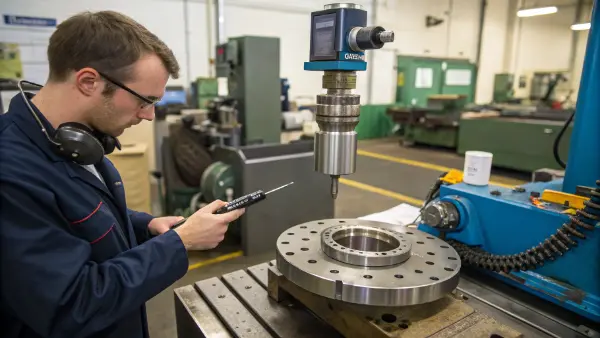
To check circular runout, you put a dial indicator on one spot of the part. You spin the part one time. You read the dial. Then you move the dial to a new spot and do it again. Each spot stands alone. If one spot passes, it passes.
Total runout is much harder to measure. You put the dial indicator on the part. You spin the part. At the same time, you slide the dial indicator down the whole length of the part. The dial must stay in the limit the whole time. You do not lift the dial.
A quick side-by-side comparison
| Feature | Circular Runout | Total Runout |
|---|---|---|
| Area checked | One slice at a time | The whole surface at once |
| Dimension type | 2D | 3D |
| Dial movement | Stays in one place | Slides along the part |
| Production Cost | Cheaper to make and check | Costs more to make and check |
| Setup time | Fast and easy | Slow and complex |
Total runout needs the part to move in a circle and the tool to move down the line at the same time. Circular runout only needs the part to spin. This makes circular runout much faster to check. But it also means it misses some big errors. If your part is a long shaft, you need to know this. You must pick the right check for your part.
What can total runout control that circular runout cannot?
Sometimes parts pass basic checks but still wobble. This happens because a simple 2D check misses hidden shape errors. You need a stronger tool to catch these flaws. Total runout catches the errors that slip by.
Total runout controls straightness, taper, cylindricity, and parallelism errors that circular runout misses. Because total runout creates a 3D tolerance zone like a pipe, the entire surface must fit inside it. Circular runout only controls local roundness. A part can be shaped like a cone and still pass a circular runout check.
Let us talk about what total runout actually catches. I have seen many engineers get this wrong. They think if a part is round, it is good. But a part can be perfectly round and still have a bad shape. Total runout fixes this problem.
Taper and Cone Shapes
Imagine a shaft that is thick at one end and thin at the other. It looks like a cone. If you check one slice with circular runout, the slice is a perfect circle. It passes. You move to the next slice. It is a smaller circle, but it is round. It passes. Circular runout cannot see the taper. Total runout sees the whole surface at once. The dial indicator slides down the shaft. It will read the change in size. The part will fail. Total runout stops cone shapes from ruining your assembly.
Straightness and Banana Shapes
What if the shaft is bent like a banana? A slice of a banana is round. Circular runout says the slice is fine. But total runout creates two invisible pipes around the part. The whole bent shaft will hit the edge of the straight pipes. Total runout stops the bent part from reaching your assembly line.
Errors Total Runout Catches
| Error Type | Caught by Circular Runout? | Caught by Total Runout? |
|---|---|---|
| Bad Roundness | Yes | Yes |
| Taper (Cone shape) | No | Yes |
| Bow (Banana shape) | No | Yes |
| Bad Cylindricity | No | Yes |
| Surface Wavy lines | No | Yes |
This is why we use total runout for high-speed spindles. The surface needs high precision. Total runout accounts for axial and radial deviations along the full length of the datum axis. Circular runout is only good for simple things like a wheel mounting face or a slow-speed part.
Is TIR the same as circular runout?
Many engineers use old terms on their drawings. This creates confusion on the shop floor. You might see TIR on a print and wonder what it means. Using old terms can lead to bad parts. Let us clear this up.
TIR stands for Total Indicator Reading. It is not exactly the same as circular runout. TIR is a measurement method, while circular runout is a specific GD&T tolerance. TIR tells you the total distance the dial needle moves from its lowest point to its highest point during a check.
I often get drawings from overseas clients with TIR written on them. When I started my career in the CNC shop, I had to ask the older machinists what it meant. They told me it means the total swing of the needle on the dial. TIR is just an old way to describe a dial reading. It is not a real GD&T rule.
What TIR actually means in the shop
TIR is just a way to read the dial gauge. If the needle goes down to -0.01mm and up to +0.02mm, the TIR is 0.03mm. You can use TIR to check circular runout. You can also use TIR to check total runout. It is just the reading on the tool. It does not tell the machinist how to move the tool.
Why TIR is confusing today
Modern GD&T uses specific symbols to avoid mistakes. We have a symbol for circular runout. It is one arrow. We have a symbol for total runout. It is two connected arrows. When you just write TIR on a drawing, the machinist does not know if you want a 2D check or a 3D check. They might check one slice. You might want the whole surface checked. This causes big problems.
How to fix your engineering drawings
| Old Way | The Problem | The New Way (GD&T) |
|---|---|---|
| Writing "TIR 0.05" | Does not say if 2D or 3D | Use single arrow symbol |
| Writing "FIM 0.05" | FIM is Full Indicator Movement, same problem | Use double arrow symbol |
| Using text notes | Hard to read for global shops | Use standard GD&T blocks |
I always tell engineers to stop using TIR. Use the right GD&T symbols. If you want to check a single cross-section, use the circular runout symbol. If you need the whole surface to run true, use the total runout symbol. This keeps communication clear and stops mistakes on the factory floor.
When to use circularity vs runout?
You have many tools in your GD&T box. Picking between circularity and runout is a common struggle. Picking the wrong one can make your part too expensive. Or it can cause the part to wobble. Let me help you choose.
Use circularity when you only care about the roundness of a part. Circularity does not use a datum axis. Use runout when the part must spin smoothly around a central axis. Runout controls both the shape of the part and its location relative to that axis.
This is a big topic for new designers. Circularity and runout look similar. They both use a dial indicator to check a part. But they have one huge difference. That difference is the datum axis. You must understand the axis to make good parts.
The role of the central axis
Circularity only looks at the part itself. Imagine a perfect metal ball. It has great circularity. It does not matter where you put it. Runout is totally different. Runout needs an axis to spin around. Think of a car tire. The tire might be perfectly round. This means it has good circularity. But if you bolt it to the car off-center, the car will shake when you drive. That tire has bad runout. Runout links the shape to the spinning center point.
Making the choice for your parts
I work with a lot of robotics companies in Europe. They need tight tolerances for moving joints. When an engineer asks me which one to use, I ask them one question. Will this part spin in real life? If the part spins, you must use runout.
Guide for choosing the right tolerance
| Feature | Circularity | Circular Runout | Total Runout |
|---|---|---|---|
| Uses a Datum Axis? | No | Yes | Yes |
| Checks Location? | No | Yes | Yes |
| Good for spinning parts? | No | Yes (slow speed) | Yes (high speed) |
| Controls 3D form? | No | No | Yes |
If the part is just a static pin that sits in a hole, use circularity. It is cheaper to make. If the part is a shaft in a motor, you must use runout. The axis is everything. If you only have one bearing seat, circular runout is enough. If you have a long precision shaft, total runout is your best choice. Make the right choice and your machine will run smooth.
Conclusion
Total runout checks the entire 3D surface for complex errors, while circular runout checks single 2D slices. Use circular runout to save costs, and choose total runout for high-precision spinning parts.