
Struggling to budget for your CNC machined parts? You have a great design, but the quotes you get back are all over the place, making it impossible to plan your project costs accurately. This uncertainty can stall projects and create serious financial headaches.
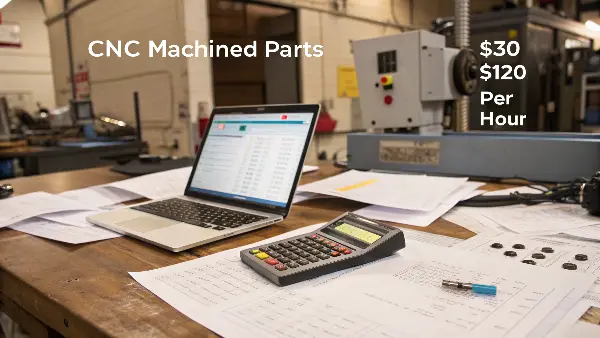
CNC machining services typically charge between $30 and $120 per hour, but this can go higher for specialized 5-axis work. The final price of your part depends on several key factors: the material you choose, the complexity of your design, the quantity you order, the required tolerances, and any finishing services like anodizing or painting. A simple aluminum part might cost just a few dollars, while a complex, single-prototype steel part could cost hundreds.
Understanding your quote is more than just looking at the final number. It’s about knowing what goes into that number so you can make smart design and manufacturing decisions. When I first started working with overseas clients like Alex, an engineer from Germany, he often asked why two seemingly similar parts had very different prices. The answer is always in the details. Let’s break down those details so you can get a clear picture of what you’re paying for and how you can control your costs.
What are the key factors that determine CNC machining costs?
You’ve just received a quote that’s higher than you expected. Now you’re left wondering if the price is fair or if you’re being overcharged. Without understanding the breakdown, you’re negotiating from a position of weakness and can’t effectively optimize your design for cost.
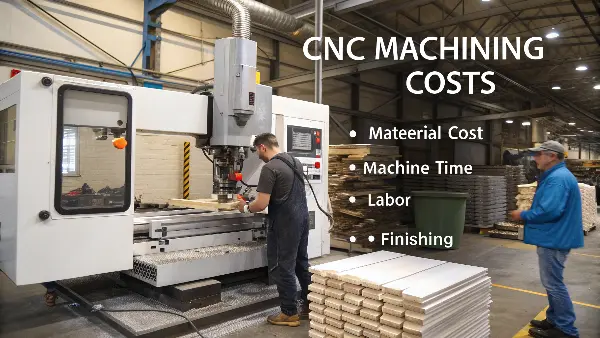
The main cost drivers for CNC machining are material, machine time, labor, and finishing. Material cost depends on the type and amount of raw stock needed. Machine time is influenced by part complexity and tolerances. Labor covers CAM programming, machine setup, and quality inspection. Finally, any post-processing steps like anodizing, heat treatment, or painting will add to the final cost.
When an engineer like Alex sends me a design, my first step is to break it down against these factors. It’s a process I’ve refined over a decade to give a fair and accurate price. It’s not just about a machine’s hourly rate; it’s a full analysis of the entire manufacturing journey for your part. Let’s dive deeper into each of these components so you can see how they add up.
Material Selection
The raw material is the foundation of your part’s cost. The price here is driven by two things: the cost per kilogram of the material and the amount of it you need. Common metals like Aluminum 6061 are affordable and easy to machine, making them a great default choice. But if your part needs higher strength or heat resistance, you might need Stainless Steel or even titanium, which are more expensive and harder to machine, increasing the cost further.
| Material | Relative Cost | Key Properties |
|---|---|---|
| Aluminum 6061 | Low | Lightweight, good strength-to-weight, easy to machine |
| Stainless Steel 304 | Medium | High strength, excellent corrosion resistance |
| PEEK | High | High-performance plastic, excellent chemical resistance |
| Titanium | Very High | Highest strength-to-weight ratio, extreme corrosion resistance |
Machine Time
This is often the biggest part of your bill. Machine time is the time it takes for the CNC machine to actually cut your part. The more complex your design, the longer it takes. Intricate curves, deep pockets, and thin walls all require slower cutting speeds and more passes. A simple bracket might take minutes, but a complex housing for a robotic arm could take hours. The type of machine also matters. A standard 3-axis machine is cheaper, but if your part has features on multiple faces, it will need a 5-axis machine, which has a higher hourly rate but can complete the part in a single setup, often saving time and improving accuracy.
Labor and Setup Costs
Before a machine ever starts cutting, a lot of work has to happen. This is the setup cost. It includes the time a programmer spends creating the CAM toolpaths from your CAD file and the time a machinist spends setting up the machine. This involves loading the right tools, securing the raw material in a fixture, and running the first part to ensure everything is perfect. This is a one-time cost per production run. That’s why ordering 100 parts is much cheaper per piece than ordering just one. The setup cost is spread across all the parts in the run. For a single prototype, you bear the entire setup cost yourself.
Finishing and Other Services
Your part is rarely "done" right after it comes off the CNC machine. It may need secondary operations or finishing. These services add to the final cost. Common examples include:
- Deburring: Removing sharp edges left by the cutting tools.
- Anodizing: Adding a protective, colored oxide layer to aluminum parts.
- Powder Coating: Applying a durable paint finish.
- Heat Treatment: Changing the mechanical properties of a metal, like its hardness.
Each of these steps requires extra labor, time, and materials, which is reflected in your quote.
How do CNC shops calculate your final quote?
You send the same CAD file to three different CNC shops and get three wildly different quotes. This is a common frustration. It leaves you wondering which price is realistic and which shop you can trust. Without knowing how they arrive at their numbers, you’re just guessing.
Shops calculate a quote by systematically adding up the costs of material, setup labor, machine run time, and any post-processing. They estimate how much raw material is needed, how long it will take to program the job (CAM), how long it will take to set up the machine, and the cycle time per part. These time-based estimates are then multiplied by the shop’s hourly rates and added to material costs.
There isn’t a single magic formula, and every shop has its own method and overhead costs, which is why prices vary. Some shops use sophisticated software to automate quotes, while experienced shops like mine often rely on a manual, hands-on review. I find this manual process crucial for complex parts because it allows me to spot potential manufacturing issues and even suggest design changes to save my clients money. Let’s look at how these quotes are actually built.
The Manual Quoting Process
When a detailed design comes in, especially one with tight tolerances like the parts Alex needs for his robotics projects, an automated system can miss important details. Here’s how I would manually quote such a job:
- CAD File Review: I open the file in my CAM software. I’m not just looking at the shape; I’m thinking like a machinist. How will I hold this part? What tools will I need? Are there any features, like deep, narrow pockets or tiny holes, that will be difficult or slow to machine? I spend a good 15-30 minutes just analyzing the geometry.
- Material Calculation: I determine the smallest standard block of raw material the part will fit into, accounting for material needed for clamping (workholding). I calculate the volume, multiply by the material’s density to get the weight, and then use my supplier’s current price per kilogram.
- Programming and Setup Time: I estimate how long it will take to create the toolpaths. A simple 3-axis part might be an hour, while a complex 5-axis part could take a full day. I then estimate the time needed to set up the machine itself—finding and installing tools, creating a fixture, and calibrating the machine. This is a fixed, one-time cost.
- Machine Run Time: This is the core of the estimate. My CAM software simulates the entire cutting process and gives me an estimated cycle time per part. I use my experience to adjust this time based on the material’s machinability and the required surface finish.
- Final Calculation: I add it all up:
(Setup Time Cost) + (Quantity * (Machine Run Time Cost + Material Cost)) + (Finishing Costs)
Automated Quoting Platforms
In recent years, many online platforms have started offering "instant quotes." You upload your CAD file, and an algorithm analyzes it and provides a price in seconds.
- Pros: They are incredibly fast and convenient, especially for simple parts and standard materials. They give you a quick budget estimate.
- Cons: The algorithms are not perfect. They can struggle with complex parts, misinterpreting features or failing to account for difficult-to-machine geometries. This can lead to quotes that are either too high or, worse, too low. A shop might accept a low automated quote and then come back to you later asking for more money when they realize the job is more difficult than the software predicted. I’ve had many clients come to me after getting a cheap instant quote, only to have the order canceled by the supplier.
Comparing Quotes: What to Look For
When you have multiple quotes, don’t just look at the price. A cheap quote isn’t a good deal if the quality is poor or the delivery is late. I always advise clients to compare quotes like this:
| Factor | Quote A (Low Price) | Quote B (Medium Price) | What to Ask |
|---|---|---|---|
| Price | $500 | $750 | Why is there a $250 difference? |
| Lead Time | 4 weeks | 2 weeks | Is faster delivery worth the extra cost? |
| Material | Specified as "Aluminum" | Specified as "Aluminum 6061-T6" | Is the cheaper shop using a lower-grade alloy? |
| Tolerances | Not mentioned | Guaranteed to ±0.01mm | Does the cheaper shop guarantee your required tolerances? |
| Communication | Slow, generic emails | Fast, detailed technical feedback | Does the shop understand your project and offer help? |
The slightly more expensive quote often provides better value because it includes clear specifications, guaranteed quality, and reliable service.
How can you reduce your CNC machining costs?
You have a final design, but the quotes are coming in over budget. The pressure is on to cut costs, but you can’t sacrifice the part’s function or quality. This leaves you stuck between a rock and a hard place, potentially delaying your entire project.
To reduce CNC costs, simplify your design by removing non-essential features, loosening tolerances where possible, and avoiding complex curves or deep pockets. Choose a cost-effective material like Aluminum 6061. Also, ordering a larger quantity will significantly lower the price per part by spreading out the fixed setup costs over more units. Consolidate your orders to get better volume discounts.
Over the years, I’ve worked with hundreds of engineers like Alex to optimize their designs for manufacturing. A few small changes can often lead to big savings without affecting the part’s performance. The key is to think like a machinist when you are designing. Here are some of the most effective strategies I recommend to my clients.
Design for Manufacturability (DFM)
This is the most powerful way to control costs. By making smart design choices, you can make your part easier, faster, and cheaper to machine.
- Relax Tolerances: This is the #1 cost-saving tip. Machining to a very tight tolerance (e.g., ±0.01mm) requires special care, slower machine speeds, and more frequent inspections. This drives up time and cost significantly. Ask yourself: does every feature on this part truly need to be that precise? For non-critical features, use standard tolerances (like ±0.1mm). Save the tight tolerances only for interfaces, holes, and surfaces that absolutely require them.
- Simplify Geometries: Complex, organic shapes look great in CAD, but they are expensive to machine. Stick to 2.5D features (pockets and holes on a flat face) as much as possible. Avoid 3D surfacing unless it’s critical. A straight line is always cheaper to cut than a curve.
- Design Pockets and Cavities Wisely: Keep the depth of pockets to no more than 3-4 times the tool’s diameter. Deeper pockets require longer, more fragile tools that are prone to breaking and must run slowly. Also, add generous corner radii to all internal corners. A CNC machine uses round tools, so it cannot create a perfect 90-degree internal corner. The larger the radius you can allow, the larger (and more rigid) tool we can use, which speeds up machining time.
Material Choice and Order Quantity
Beyond the design itself, there are two other major levers you can pull to manage costs.
- Choose the Right Material: Don’t over-engineer your material choice. If your part is a simple bracket or housing that doesn’t face extreme stress or temperatures, Aluminum 6061 is almost always the best choice. It’s cheap, lightweight, and machines very quickly. Using a stronger, more expensive material like stainless steel or titanium when it’s not needed can double or triple your costs.
-
Increase Order Quantity: As I mentioned before, setup costs are fixed. Whether you order 1 part or 100 parts, the time for programming and machine setup is roughly the same.
Quantity Setup Cost Machining Cost per Part Total Cost per Part 1 $150 $50 $200 10 $150 $50 $65 ($15 + $50) 100 $150 $50 $51.50 ($1.50 + $50)
As you can see, the price per part drops dramatically with quantity. If you know you will need more parts in the future, it’s always cheaper to order them all at once.
Conclusion
Understanding CNC service charges is about looking beyond the hourly rate. By considering material, complexity, and quantity, you can design for manufacturability and make choices that significantly lower your costs.