
Are you trying to plan your project timeline but feeling unsure about the CNC machining lead time? Unexpected delays can throw your entire schedule off, leading to missed deadlines and budget overruns. Understanding the factors that influence machining time is the key to creating realistic plans and avoiding costly surprises.
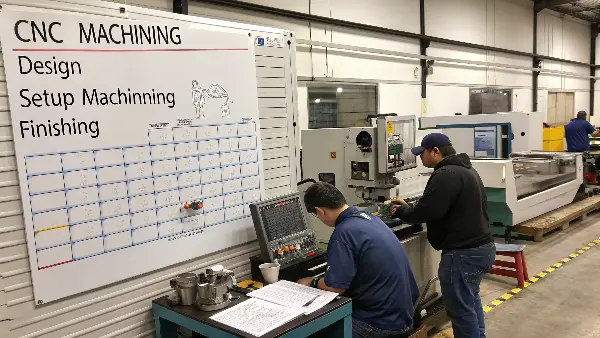
The time it takes for CNC machining can range from a few hours for a simple, single part to several weeks for a complex project involving multiple components and finishing processes. The final lead time depends heavily on your part’s design complexity, the material you choose, the quantity ordered, required tolerances, and any post-processing steps like anodizing or heat treatment. It’s a combination of programming, setup, machining, and finishing time.
Getting a grip on these variables is crucial for any engineer or product developer. A simple part might look quick to make, but a specific material choice or a tight tolerance can add significant time. As someone who has managed hundreds of CNC projects, I’ve seen how these details stack up. Let’s dive deeper into what really goes into a CNC machining timeline, so you can better forecast your own project schedules and work more effectively with your manufacturing partners.
What Key Factors Determine CNC Machining Time?
Have you ever submitted a CAD file for a quote and been surprised by the estimated lead time? You might start wondering what is causing the delay. Is it your design? The material you chose? Or something else entirely? Getting a clear picture of the core factors that build up a machining timeline will help you set realistic expectations.
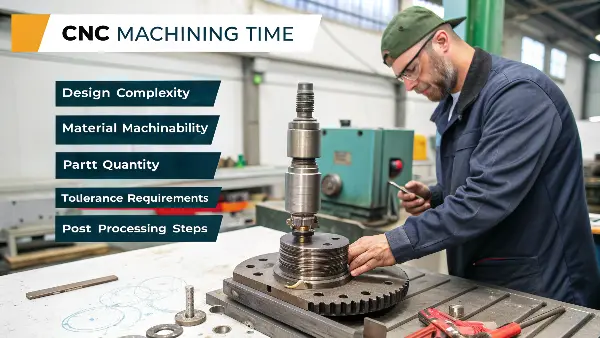
The total CNC machining time is determined by five primary factors: design complexity, material machinability, part quantity, tolerance requirements, and post-processing steps. Each of these elements adds a specific amount of time for programming, machine setup, physical cutting, quality inspection, and finishing, which all contribute to the final delivery schedule you receive from your supplier.
Let’s break down each of these factors to see how they impact your project. When I started in this business, I learned quickly that the time a part spends on the machine is only part of the story. The preparation and finishing work often take just as long, if not longer.
1. Design Complexity
The more complex your part is, the longer it will take to program and machine. A simple 2D part with a few holes can be programmed in minutes. In contrast, a part with complex 3D contours, undercuts, and multiple features requires hours of CAM programming. The programmer must carefully plan the toolpaths, select the right tools, and run simulations to avoid collisions. I remember a project for a medical device housing that had intricate internal channels. The CAM programming alone took a full day before we even touched the machine.
2. Material Machinability
Not all metals are created equal. The material you choose has a huge impact on machining speed. Softer materials like Aluminum 6061 can be cut very quickly. Harder materials like stainless steel, titanium, or tool steel require much slower cutting speeds and feeds to prevent tool breakage and ensure a good finish. Machining a titanium part can easily take three to four times longer than machining the exact same part from aluminum because the tool has to move so much slower.
3. Tolerances and Surface Finish
This is a big one for engineers like Alex who need high precision. Standard tolerances are relatively easy to achieve. But if your part requires very tight tolerances (e.g., ±0.01mm), the process slows down considerably. The machinist will need to use slower finishing passes, measure the part multiple times during the process, and potentially use specialized tools. A very fine surface finish (low Ra value) also requires extra, slower passes with specific tools, adding to the total machine time.
4. Part Quantity and Finishing
The total order quantity affects the overall lead time. While machining a single prototype might take a few hours, setting up the machine for that one part also takes time. For larger batches (e.g., 1000 parts), the initial setup time (programming, fixture making, tool setup) is spread across all parts. This makes the per-part time much lower, but the total project time will be longer. After machining, parts often need finishing.
Here is a table to summarize how these factors influence time:
| Factor | Low Impact (Faster) | High Impact (Slower) | Why it Matters |
|---|---|---|---|
| Complexity | Simple 2D geometry, few features | Complex 3D surfaces, undercuts | More CAM programming and machine setup time. |
| Material | Aluminum, brass, soft plastics | Stainless steel, titanium, Inconel | Harder materials require slower cutting speeds and cause more tool wear. |
| Tolerances | Standard (e.g., ±0.1mm) | Tight (e.g., ±0.01mm) | Requires slower machine movements, more passes, and detailed inspection. |
| Finishing | None (as-machined) | Anodizing, plating, heat treatment | Each step adds days or even weeks for outsourcing and processing. |
How Fast Is the Actual CNC Machining Process?
You see videos online of CNC machines cutting through metal at incredible speeds, with chips flying everywhere. This might make you think that parts should be finished in just a few minutes. But then you get a quote for a lead time of several days and wonder, why the disconnect? The cutting itself can be fast, but it is only one step in a much larger workflow.
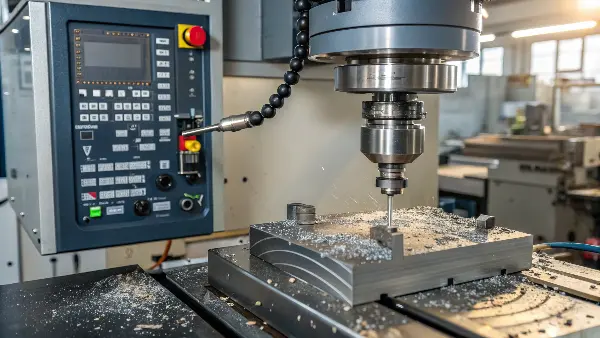
A modern CNC machine’s spindle can rotate at speeds of 10,000 to 20,000 revolutions per minute (RPM) or more, and the cutting tool can move at feed rates of several meters per minute. However, this raw speed is often limited by the material being cut, the complexity of the part, the required surface finish, and the need to manage tool life and machining accuracy.
It’s helpful to understand the difference between the machine’s capability and the practical application speed. Think of it like a sports car. It might be able to go 300 km/h, but in city traffic with tight corners, you have to drive much slower. CNC machining is very similar. The "traffic" is made up of hard materials, complex shapes, and tight tolerances.
Here’s a more detailed breakdown of what determines the actual machining speed:
Spindle Speed and Feed Rate
- Spindle Speed (RPM): This is how fast the cutting tool spins. For soft materials like aluminum, we can use very high RPMs (12,000+ RPM) to remove material quickly. For hard steel or titanium, we have to lower the speed significantly (maybe 1,000-4,000 RPM) to prevent the tool from overheating and breaking.
- Feed Rate: This is how fast the machine moves the tool through the material. A higher feed rate means faster machining. Just like with spindle speed, we can use a high feed rate for aluminum but must slow down for harder materials. Aggressive "roughing" passes use high feed rates to remove bulk material, while "finishing" passes use a much slower feed rate to achieve accuracy and a smooth surface.
Not Just Cutting: The Non-Cutting Time
A significant portion of the total "machining time" is actually non-cutting time. This includes:
- Tool Changes: A complex part might require 10 or more different tools. The machine has to stop cutting, retract the current tool, grab the next one from the tool changer, and position it correctly. Each tool change takes time.
- Rapid Movements: The time the machine spends moving quickly from one cutting position to the next (without touching the material) is called rapid travel. Modern machines are very fast, but this still adds up.
- Probing and Measurement: For high-precision parts, we often use an electronic probe to touch the part and verify dimensions mid-process. This stops all cutting and adds time but is essential for meeting tight tolerances. I once had a project with aerospace components where nearly 20% of the machine cycle was just for in-process measurement to guarantee accuracy.
The time it takes to remove material is only one piece of the puzzle. The combination of programming, setup, tool changes, and inspection all add up.
How Can You Reduce Your CNC Machining Lead Time?
As an engineer, you are always under pressure to meet deadlines. You might be wondering if there is anything you can do to speed up the manufacturing process. Waiting for parts can be frustrating, especially when your project is on a tight schedule. The good news is that you have more control over the lead time than you might think.
To reduce your CNC machining lead time, you can simplify your part design, relax tolerances where they are not critical, choose easily machinable materials, and provide clear and complete technical drawings. Communicating effectively with your supplier and grouping parts into a single order can also significantly streamline the production process and shorten the overall delivery time.

From my experience working with hundreds of clients like Alex, I’ve seen how small changes in the design phase can lead to big savings in time and cost. It’s about working smarter, not just pushing your supplier to work faster. Making the part easier to machine is the most effective strategy. Let’s look at some actionable steps you can take.
1. Optimize Your Design for Manufacturability (DFM)
This is the most impactful thing you can do.
- Avoid Complex Features: Deep pockets, thin walls, and tiny holes are difficult and slow to machine. A pocket’s depth should ideally be no more than 3-4 times its width. Thin walls can vibrate during machining, forcing the machinist to slow down.
- Use Standard Tool Sizes: Design holes, slots, and corner radii that match standard drill and end mill sizes. If you design a 7.7mm hole, the shop might have to use an end mill to create it, which is slower than using a standard 8mm drill bit. I always tell my clients to keep a chart of standard tool sizes handy.
- Loosen Non-Critical Tolerances: This is a huge time-saver. Go through your drawing and ask yourself: "Does this feature really need to be ±0.01mm?" Often, only a few surfaces that interface with other parts need tight tolerances. The rest can have a more standard tolerance (e.g., ±0.1mm), which allows the machinist to work much faster.
2. Choose Materials Wisely
If the application allows, select a material that is easier to machine. For many prototypes and general-use parts, Aluminum 6061 is a perfect choice because it’s lightweight, affordable, and machines very quickly. If you need higher strength, consider if a more machinable grade of steel will work before jumping to something exotic like titanium or Inconel.
3. Provide Clear Technical Documentation
A complete and clear technical drawing (PDF) to accompany your 3D CAD file can prevent delays caused by miscommunication.
- Call out critical dimensions and tolerances clearly.
- Specify surface finish requirements using standard symbols (e.g., Ra).
- Note any threads, materials, and finishing requirements.
When a supplier has to email you back and forth to clarify details, it can add days to the lead time before they even start. I’ve seen projects delayed by a full week just because of an unclear drawing.
4. Communicate and Plan Ahead
Talk to your supplier early. If you have a critical deadline, let them know. They might be able to suggest design changes or schedule your job more effectively. Also, try to consolidate your orders. Ordering five different parts at once is often faster and more cost-effective than placing five separate orders, because the supplier can optimize material purchasing and machine setups.
Conclusion
Understanding CNC machining time involves looking beyond just cutting speed. It’s a mix of design, material, precision, and finishing that shapes your final lead time.